How Much Does Wireless CCTV Cost in 2026?
A single wireless home security camera costs from £50, and a 4-camera system starts at around £200 if you fit it yourself. Professional installation of a 4-camera wireless system costs £500 to £1,200. The right choice comes down to brand, storage, and whether you want to do it yourself. Here is everything you need to know.
£50
Single camera from
£200
4-camera system from
£500
Pro install from
£3 to £10
Monthly cloud
Prices updated April 2026 · Based on industry data and contractor submissions.
UK CCTV rules apply. The ICO guidance on domestic CCTV says you must not point cameras at neighbours' property or public areas without good reason. If your cameras capture beyond your boundary, display visible signage and be prepared to handle subject access requests.
Wireless CCTV Camera Costs 2026
Camera prices range from a budget-friendly £50 up to £250 for a premium model with all the bells and whistles. For a whole-home setup, a 4-camera system is the most common choice. Prices below are for the equipment; professional installation is additional where shown.
Budget wireless camera (Eufy, TP-Link)
1080p-2K, local storage, no subscription needed
£75
£50 to £100 each
Mid-range camera (Ring, Arlo, Nest)
1080p-2K, cloud storage plan required for recording
£150
£100 to £200 each
Premium camera (Arlo Pro, Ring Spotlight)
2K-4K, colour night vision, advanced motion detection
£200
£150 to £250 each
4-camera DIY wireless system
Bundle kit, home base or NVR, free local storage
£400
£200 to £600
4-camera professionally installed
Equipment, fitting, and configuration by an installer
£850
£500 to £1,200
Wired CCTV (for comparison)
4-camera, DVR/NVR, professional installation
£1,400
£800 to £2,000
Monthly Subscription Costs by Brand
Most wireless cameras give you live view without a plan, but if you want your footage saved so you can review it later, you will need either a cloud subscription or a camera that stores recordings locally. Here is what the main brands charge.
| Plan | Monthly Cost |
|---|---|
| Ring Home Basic | £4.99/mo |
| Ring Home Standard | £7.99/mo |
| Arlo Secure (1 camera) | £4.99/mo |
| Arlo Secure (all cameras) | £10.99/mo |
| Google Home Premium (was Nest Aware) | £8/mo |
| Eufy (no plan needed) | Free |
| Reolink (no plan needed) | Free |
Prices correct as of April 2026. Check each brand's website for the latest plans.
Top Wireless CCTV Brands Compared
The brand you choose makes a big difference to cost, convenience, and how much you pay ongoing. Here is an honest summary of the main options.
Ring
Best ecosystem£100 to £250
Storage: Cloud (plan required)
Works seamlessly with Ring doorbells and alarm. Alexa integration is excellent.
Arlo
Best battery life£120 to £250
Storage: Cloud (plan required)
Premium image quality. Colour night vision on Pro models. Expensive without a plan.
Eufy
No subscription£50 to £150
Storage: Local (free)
Stores footage locally with no monthly fee. Great value for privacy-conscious buyers.
Reolink
Best value£40 to £120
Storage: Local (free)
Excellent cameras at a fraction of the price. Less polished app, but the footage quality is superb.
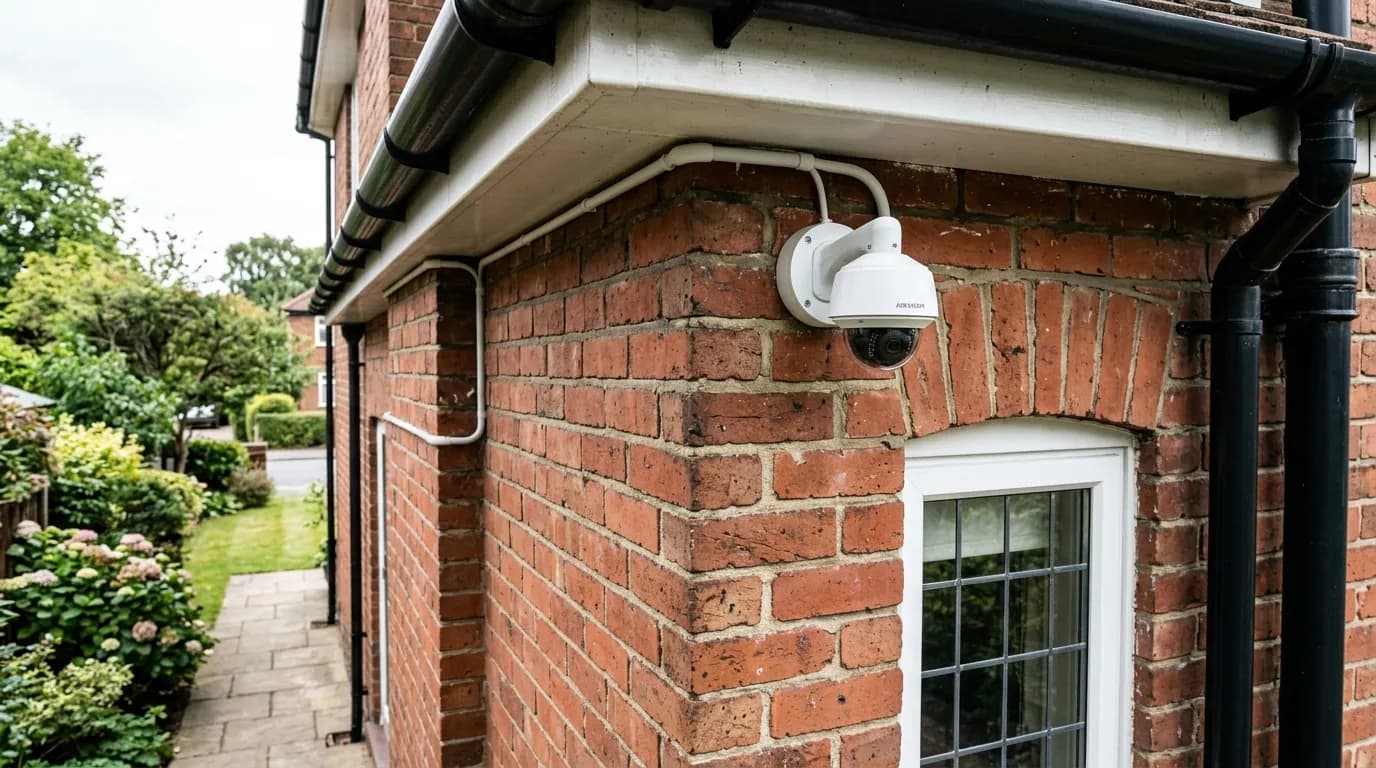
Hikvision
Best wired£60 to £200 each
Storage: Local NVR
The professional installer's choice. Wired only, no WiFi models in the consumer range.
Wireless vs Wired CCTV: Which Should You Choose?
Both have their place, it really depends on your home, your budget, and how much DIY you want to take on.
| Feature | Wireless | Wired |
|---|---|---|
| Installation difficulty | Easy, DIY-friendly, no cables needed | Harder, cable runs through walls or loft |
| Reliability | Good, depends on WiFi signal strength | Excellent, no WiFi dependency |
| Image quality | Good, typically 1080p to 4K | Excellent, typically 4MP to 8MP |
| Power source | Battery (3 to 6 months) or mains socket | Constant mains via cable |
| Monthly costs | £3 to £10/camera for cloud (unless Eufy/Reolink) | None, local NVR storage |
| Flexibility | High, reposition cameras easily | Low, cable runs are permanent |
| Best for | Renters, quick setup, adding to an existing home | New builds, permanent setups, large properties |
If you are not sure which to go for, our full CCTV cost guide covers wired systems in detail and includes a more comprehensive comparison.
Power Options for Wireless Cameras
One thing people often overlook when buying wireless cameras is how they get their power. Your options are battery, solar, or mains, each has different implications for how much maintenance is involved.
Rechargeable battery
Included in camera pricePros: Completely wireless, no cables at all
Cons: Must recharge every 3 to 6 months
Solar panel
£30 to £50 extra per cameraPros: Never needs charging, fully hands-off
Cons: Needs direct sunlight (south-facing position ideal)
Mains power (plug socket)
Included in camera pricePros: Never runs out of power
Cons: Needs a nearby socket or cable run
Where to Position Your Cameras
Camera placement matters just as much as which model you buy. The goal is to cover entry points and deter opportunists, not to record every inch of your garden. Here are the four spots that give the best return.
Front door
One of the most common entry points in UK break-ins. Captures faces and vehicles clearly.
Back garden
Most break-ins happen at the rear where it is harder to see from the street.
Side access gates
Side passages are a common route from front to back. A camera here deters opportunists.
Driveway
Captures vehicle number plates and any theft of items left in or around vehicles.
UK CCTV rules: what you can and cannot film
Your cameras can cover your own property freely. However, ICO guidance is clear that filming beyond your boundary, a neighbour's garden, a shared drive, or a public footpath, brings data protection obligations. You will need visible CCTV signage, and you may have to share footage if a neighbour or member of the public makes a formal request. Pointing cameras directly at a neighbour's home or windows is likely to cause a dispute and could be considered harassment. When in doubt, angle the camera down to reduce its field of view.
For police-approved security advice, Secured by Design publishes guidance on camera placement and home security standards.
DIY Installation: Is It Really That Easy?
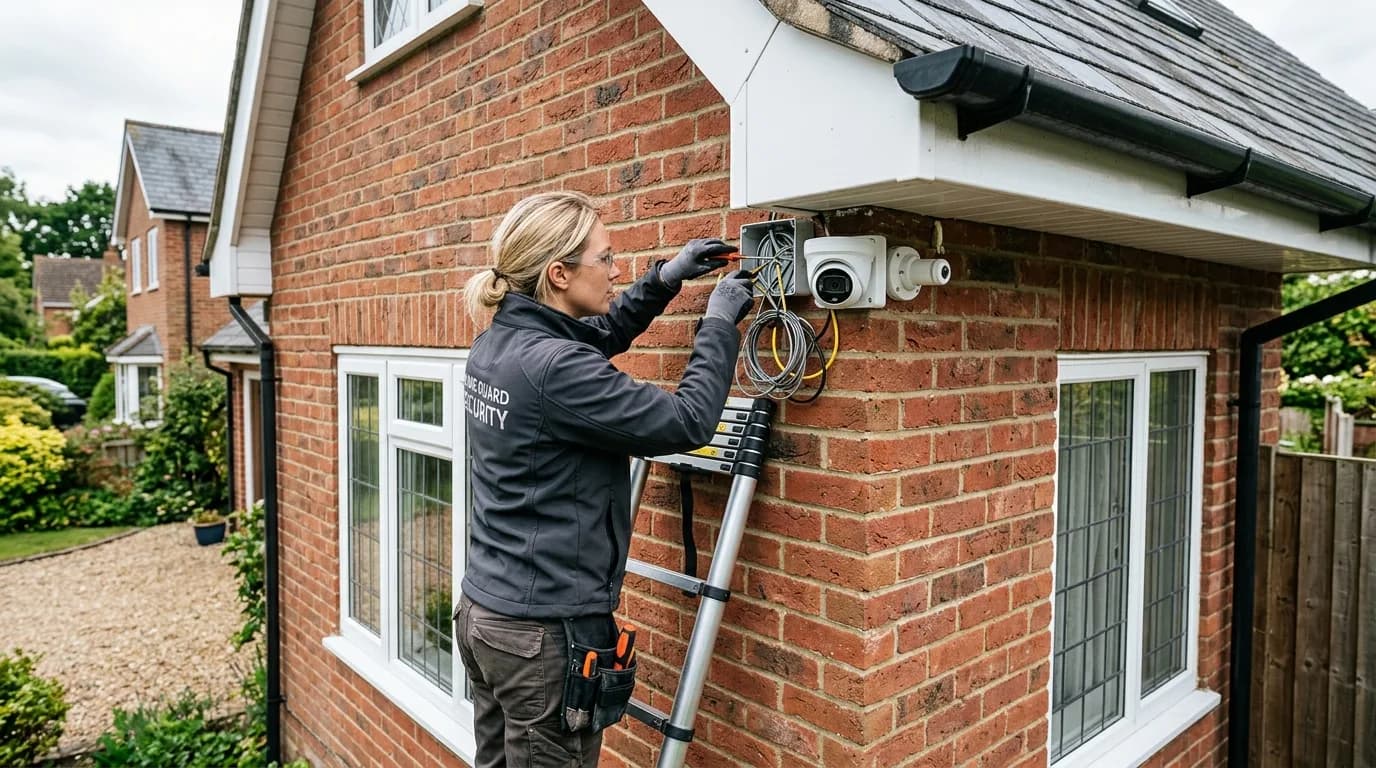
The honest answer: yes, for most wireless cameras it genuinely is straightforward. Here is the typical process for a battery-powered camera.
- 1
Download the app and create your account
Before you touch a drill, set up the app and verify your account. This saves time during the physical install.
- 2
Choose your mounting position
Pick a spot 2 to 3 metres high. Hold the camera up and check the live view in the app before drilling, the field of view on screen is much more useful than guessing the angle. Make sure you have a good WiFi signal at that spot.
- 3
Fix the mounting bracket
Use a spirit level and mark the drill holes with a pencil. Most cameras come with wall plugs and screws. If you are fixing to UPVC fascia board or soffit, use appropriate self-tapping screws.
- 4
Attach the camera and connect to WiFi
Clip or screw the camera to the bracket, then follow the app instructions to connect it to your home WiFi. The app will guide you through setting up motion detection zones, activity schedules, and notifications.
Most people complete the whole process in under two hours for a 4-camera system. If your WiFi coverage is patchy at the far corners of the house, a mesh WiFi system will make a noticeable difference to reliability.
How to Get Your Wireless CCTV for Less
Choose a brand with free local storage
Cloud plans cost £36 to £120 per year, per camera, it adds up fast. Eufy and Reolink store footage on a microSD card or home base unit at no ongoing cost. The cameras are cheaper to buy and you pay nothing month to month. For most homes, free local storage is perfectly sufficient.
Add a solar panel to eliminate battery faff
Recharging cameras every 3 to 4 months is the main annoyance with wireless CCTV. A compatible solar panel (£30 to £50 per camera) keeps the battery topped up passably on even an overcast British winter, as long as it is in a reasonably south-facing spot. It is a one-off cost that pays for itself in time saved over a few years.
Get at least three quotes if using a professional
If you want a professional to install the cameras, do not accept the first price you are given. Get three quotes from local CCTV installers, the difference between the cheapest and most expensive can be several hundred pounds for exactly the same job. Tell each installer what system you want to use (you can often supply the cameras yourself to save on markup) and ask for a written quote including equipment, labour, and any call-out fee.
Buy the cameras yourself and pay for fitting only
CCTV installers often mark equipment up by 30 to 50%. Buy your cameras directly from a retailer, Amazon, Screwfix, or a specialist like CCTV42, and just pay the installer for their time. A decent Eufy or Reolink 4-camera system costs £200 to £400 online. Fitting and setup typically adds £150 to £300. That is far cheaper than an all-in package from a security company.
Use a smaller, non-VAT-registered installer
If you do pay for fitting, CCTV labour is standard-rated at 20% VAT. A sole trader or small firm turning over under £90,000 a year does not have to register for VAT, so there is nothing to add to your bill. On £300 of labour that is roughly £60 you keep compared with a larger, VAT-registered security company. Ask whether each quote includes VAT before you compare.
What to Expect: The Wireless CCTV Installation Process
Installing a wireless CCTV system can take anywhere from an hour for a simple DIY setup to a full day for a professionally installed multi-camera system.
- 1
Site survey and camera positioning
Walk around the property to identify the most vulnerable areas: front door, side gates, rear garden, and driveway. Plan camera positions for maximum coverage with minimal blind spots, keeping cameras out of easy reach.
- 2
Check Wi-Fi signal strength
Test the Wi-Fi signal at each planned camera location using your phone or a signal strength app. Wireless cameras need a strong, stable connection. A Wi-Fi extender or mesh system may be needed for cameras far from the router.
- 3
Mount the cameras
Cameras are fixed to walls, soffits, or eaves at a height of 2.5-3 metres using the supplied brackets and screws. Position them at a slight downward angle for the best facial recognition and number plate capture.
- 4
Connect and configure
Each camera is powered up (mains-powered, PoE, or battery) and connected to the home Wi-Fi network via the manufacturer's app. Detection zones, motion sensitivity, and recording schedules are configured.
- 5
Set up recording and alerts
Configure cloud storage (subscription may be required) or a local NVR/microSD card for footage recording. Set up push notifications on your phone. If any cameras cover public areas like pavements, you'll need to display a GDPR-compliant sign.
Frequently Asked Questions
How much does a wireless CCTV system cost?
A single wireless security camera costs £50 to £250 depending on the brand and features. A 4-camera DIY wireless system costs £200 to £600. If you want a professional to install it, expect to pay £500 to £1,200 for a 4-camera setup including equipment and labour. Budget brands like Eufy and Reolink sit at the lower end; premium options like Arlo Pro and Ring Spotlight cost more but offer better night vision, longer battery life, and smarter detection.
Do wireless CCTV cameras need a monthly subscription?
Not always, but most popular brands push you towards one. Ring plans start at £4.99 a month, Arlo at around £4.99, and Google Home Premium (which replaced Nest Aware) at £8. Subscription prices moved around a lot in 2026, so check before you buy. Without a plan, you typically still get live view on your phone but lose cloud recording, so if something happens overnight and you do not check the app in time, the footage is gone. Eufy and Reolink are exceptions: both offer free local storage via microSD card or a home base unit, so you pay nothing ongoing.
Can I install wireless CCTV cameras myself?
Yes, that is one of the main advantages of wireless cameras. Most come with a mounting bracket, screws, and a step-by-step app to walk you through setup. You screw the bracket to the wall or soffit, attach the camera, connect it to your WiFi, and you are done. Battery-powered cameras are the simplest as you do not even need a mains connection nearby. The whole process typically takes 15 to 30 minutes per camera.
Are wireless cameras as good as wired CCTV?
For most homes, modern wireless cameras are more than good enough. The gap in image quality has narrowed significantly, you can get 2K and even 4K wireless cameras now. The main differences are reliability (wired does not drop if your WiFi goes down), power (you need to charge batteries every 3 to 6 months unless your cameras are mains-powered), and ongoing cost (wired systems use local storage, wireless often need cloud plans). For a permanent, comprehensive system, wired is still the gold standard. For flexibility, renting, or adding cameras to specific spots, wireless wins.
Where should I put wireless CCTV cameras at home?
The most important spots are: the front door (a common entry point in UK burglaries), back garden, side access gates, and the driveway. Position cameras at 2 to 3 metres high, high enough to cover a wide area and avoid tampering, but low enough to capture a usable face shot. Make sure each camera is within range of your WiFi router; a weak signal leads to dropped footage. Use a WiFi extender or mesh network if needed.
Do I need to tell my neighbours about my wireless CCTV?
If your cameras only cover your own property, you have no legal obligation to inform anyone. However, the ICO (Information Commissioner's Office) says that if any camera captures footage beyond your boundary, a neighbour's garden, a shared driveway, or a public pavement, you should put up visible signage and be prepared to share footage if someone makes a data request. Aiming cameras directly at a neighbour's property is likely to cause a dispute and could amount to harassment. Stick to covering your own land wherever possible.
Useful Resources
ICO: CCTV rules for domestic users
Official guidance from the Information Commissioner's Office on what you can and cannot film, signage requirements, and data requests.
Secured by Design: police-approved security standards
The police's official crime prevention initiative, with guidance on CCTV placement and physical security for homes.

Reviewed by Chris Kervin, Less.co.uk Home Improvement Costs Specialist
Last updated: April 2026 · Pricing based on industry data and verified contractor submissions · Methodology
Ready to sort out your home security?
A good wireless CCTV system keeps watch so you do not have to. Get an idea of the costs and find out which setup suits your property.
Compare Free QuotesFree, no obligation · Local installers · Compare up to 3 quotes